
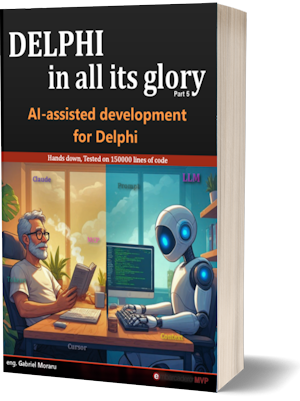
“AI-Assisted Development for Delphi” is the fifth book in the “Delphi in All Its Glory” series. Released April 2026.
Why This Book Exists
There are a gazillion books about AI out there. This is the only one written for Delphi developers.
Your LinkedIn feed says programmers will be obsolete by next Thursday. Meanwhile, you’re looking at real production code that real customers depend on, thinking: “Does any of this actually work for what I do?”
This book answers that question — honestly.
No hype. No inflated promises. Just raw results from testing Claude Code on over 200,000 lines of production Delphi code — failures included. From installation to advanced techniques, every example in this book is Delphi-specific. Every workflow targets native Windows applications. If you want to see Claude write a React app, there are a hundred other books for that. This isn’t one of them.
The previous books in this series each took about two years to complete. This one was different. AI is moving too fast to wait that long, so I wrote it in under six months – and I update it every week to keep it current. The result is a practical, battle-tested guide to making AI work for Delphi — written by someone who’s been shipping Delphi code since 1995.
Order the book in electronic or printed format, or get the paperback directly on Amazon.
It is a known fact that AI writes code faster than you.
The same can be said about the number of bugs.
What You’ll Learn
Seventeen chapters. The full table of contents is at the bottom of this page – here is what each chapter is actually about.
Chapter 3 – Introduction to AI and LLMs
How a Large Language Model really works: tokenization, prediction, and the exact spot where it goes off the rails and invents a Delphi unit that never existed. Copilots versus agents – autocomplete on one side, a worker that takes on the whole task on the other. Claude Code, Gemini CLI and GitHub Copilot compared, with real prices. Then the honest list: what AI does well for a Delphi programmer, and what only wastes your afternoon.
Chapter 4 – Meet Claude
The biggest chapter in the book. Installing Claude Code on Windows and under WSL. The agentic loop. The context window and the flashlight problem – Claude sees your project through a narrow beam, and this chapter names exactly what falls outside it: indirect dependencies, the .dfm file, the class hierarchy, conditional compilation, initialization and finalization sections, include files, RTTI and string-based lookups, class helpers and interposer classes.
Then the permission system, the permission modes and the auto mode classifier that decides what Claude may do on its own, sandboxing, every settings file and where it lives, choosing a model, controlling how hard Claude thinks, running Claude from the command line, resuming old sessions, hooks with a working SafeDelete example, and tokens and costs – who eats your tokens, planning with an expensive model and building with a cheap one, and Token Vampire, the tray app I wrote in Delphi to show the usage numbers Claude’s own status line will not.
Chapter 5 – Claude and Delphi
How good Claude really is at Delphi. Where it lies with confidence on a niche topic, fails a basic task, writes beginner code, gets lazy, or turns a five-line procedure into three classes. Then the setup that removes most of that pain: /init, the CLAUDE.md file explained section by section, a build script, DUnitX tests, backup and cleanup tools, prompt templates. Plus reviewing a project you inherited, compiling from inside Claude, what Delphi IDE integration exists today (Smart CodeInsight, RAD AI Companion, CodeBot, the community plugins), and a side trip to Gemini CLI to see whether the grass is greener.
Chapter 6 – We Need a Hero: Autopilot for Delphi
Claude is good at writing Delphi. It is useless at testing it. It will happily build you a form with an OK button, then have no way to click that button, read what landed in an edit box, or check whether a checkbox is ticked. There is a wall between the AI and your running program, and everything past “it compiles” is on the other side of it. This chapter explains why the wall is there – which tells you a lot about what AI can and cannot do for a desktop developer – and then knocks it down with Autopilot for Delphi, a tool I built. You add one line to your .dpr and the AI can click controls, read component state, fire a TAction, and wait for a condition, in your real running application.
Chapter 7 – Common Workflows for Delphi Developers
The day-to-day work. Bug fixing, understanding an old codebase, refactoring legacy Delphi without breaking it, code review, adding features to existing projects, DUnitX tests, generating documentation, and the one-file-at-a-time workflow for reviewing legacy code. Plus plan mode, piping data through Claude, resuming and restoring sessions, working with images and @ file references, a beep when a long task finishes, headless mode, several sessions at once, checkpointing and rewind, editing Word documents through SuperDoc, and HandOver.md – the file that lets tomorrow’s session pick up where today’s stopped.
Chapter 8 – Keeping An Eye On Claude
Six Delphi-specific failure patterns and the fix for each: Claude calling a method that does not exist in your Delphi version, you accepting a diff that merely looks reasonable, ten tasks crammed into one prompt, an hour-old context full of garbage, your begin/end formatting silently rewritten, and “if X = nil then Exit” sprinkled everywhere instead of finding out why X is nil. Then how to give Claude a way to check its own work, how to structure and stack your CLAUDE.md files, why the folder you start the session in changes the result, and how to review changes file by file instead of trusting a wall of green diff.
Chapter 9 – Fixing Claude’s Output
Since Opus 5, the answers got smarter and harder to use. That is three separate problems arriving in the same sentence, which is why people keep fixing the wrong one: jargon, length, and a wrong name for something in your own project. Each belongs in a different place – an output style, a skill, and CLAUDE.md – and putting them in the same place costs you a week. Includes the trap that made my own output style do nothing for two days, and the one missing header line that quietly deletes Claude’s built-in programming instructions.
Chapter 10 – Skills
A skill is a Markdown file that teaches Claude a procedure you repeat. Where the files live, every option in the header, the $ARGUMENTS variable, and Delphi examples you can copy. Also what they cost: on my machine, 47 skills were eating 5,700 tokens before I typed a single word.
Chapter 11 – Sub-agents
A sub-agent is a separate Claude with its own context window, so a big search does not pollute yours. The built-in ones, how to write your own, and the Delphi-specific agents worth having: a compiler agent, a code reviewer, a legacy code explorer, a unit test helper. Running them in the background and in parallel, resuming them, passing them on the command line, and a decision guide for skill versus agent.
Chapter 12 – MCPs: Connecting Claude Code to External Tools
What the Model Context Protocol does, how it works, how to install a server, and who can see it once you have. The servers that are actually useful to a Delphi developer. And how to build your own MCP server in Delphi.
Chapter 13 – Commands
/code-review ultra (formerly /ultrareview), which sends your code to the cloud for a deep bug hunt, and /insights – including why you should take its numbers with a grain of salt.
Chapter 14 – Data Privacy and Usage Monitoring
Where your code actually goes, what phones home, and a plain privacy summary for a solo Delphi developer. The analytics dashboard, plugin marketplaces, and the security risks that come with letting an agent loose on your machine: rogue agents, poisoned config files, malicious code. Then the cognitive risk nobody prices in – what happens to your own skills when the AI does the thinking.
Chapter 15 – Issues, Tips, Tricks and Fixes
Why the same prompt gives different answers, whether “bad sessions” are a real thing, and whether telling Claude “you are a Delphi expert” does anything measurable. Voice dictation and rebinding the push-to-talk key. Fixing the status line, which lies about your context window in two different ways. And why text you copy from Claude turns into question marks in an ANSI file.
Who Benefits Most?
Everyone will see some benefit from AI. But certain developers will see dramatically more:
- Legacy code maintainers: If you maintain decades-old Delphi code — especially pre-Unicode versions — AI is a direct ticket to heaven. Here’s a secret that was meant for later in the book: AI is much better at fixing broken code than at writing new clean code. If you’re on Delphi 2009 or older, drop the hammer. You don’t need it anymore.
- Solo developers: You don’t have a team to bounce ideas off. Claude becomes your code reviewer, your rubber duck, your second pair of eyes that never gets tired.
- Developers inheriting unfamiliar codebases: Point Claude at a 200-unit project with zero documentation and ask “explain the architecture.” In minutes you’ll have a map that would take days to build manually.
The book assumes you already know Delphi — no need to explain basic language concepts. What you don’t need to know is anything about AI. We start from zero and build up.
Why Claude Code?
There are several AI coding tools out there: GitHub Copilot, Gemini CLI, Cursor, Windsurf, and others. Claude Code works as an agent — it reads your files, understands your project structure, runs your compiler, and iterates on errors. It doesn’t just suggest the next line of code — it takes on entire tasks. This agent approach turns out to be more useful than autocomplete-style IDE plugins.
My own testing found that Claude produces better Delphi code than the alternatives. It’s not perfect — far from it — but it makes fewer of those maddening “this looks like C# written with Pascal syntax” mistakes.
That said, all Large Language Models share the same fundamental architecture. Tokens, context windows, hallucinations, prompt engineering — these concepts are universal. What you learn in this book about working with Claude applies to any AI tool you’ll use in the future.
Key Insights from the Book
- The 80% rule: AI gets you roughly 80% of the way there, fast. The last 20% — Delphi-specific quirks, VCL integration, DFM files — is still your job. Expecting 100% leads to frustration. Expecting 80% and cleaning up the rest is a genuine productivity win.
- CLAUDE.md is your biggest lever: A well-written project instruction file — backed by two scientific studies — is the single most impactful thing you can do. For Delphi specifically, the payoff is even larger than what the studies measured, because Claude’s training data is thin on Delphi.
- Review everything: Claude will invent non-existent units, silently change constant values, reformat your code, and add “helpful” nil checks that hide bugs. Diff every change. Compile after every edit. Trust but verify.
- One file at a time: For large Delphi projects, work on one .pas unit per session with /clear between tasks. Quality drops dramatically when context fills up.
- The community is growing: GDK Software offers dedicated Claude Code training for Delphi developers. CodeBot by RemObjects is in beta. Smart CodeInsight is built into the IDE. Context7 MCP feeds documentation into Claude. A year ago, we had nothing.
Writing Style
Fast-paced, light, occasionally irreverent. Every claim backed by evidence — links to white papers, scientific articles, proven concepts, code examples, and benchmark tests. No filler, no fluff, high information density. The author is honest about AI limitations — this book documents real experiences, including the failures and how to prevent them.
The source code for examples is available on GitHub.
The Series
This is Part 5 of “Delphi in All Its Glory” — five books, over 2,000 pages, seven years in the making:
- Book 1: “Delphi for More Than Mere Programmers” — complete beginner’s guide (~580 pages). Also available in German.
- Book 2: “Reaching for the Gods” — compiler internals, debugging, memory management, performance (~450 pages)
- Book 3: “Libraries & Packages” — package architecture, VCL internals, custom components (~250 pages)
- Book 4: “Crossplatform FMX” — cross-platform development with FireMonkey (~300 pages)
- Book 5: “AI-Assisted Development” — this book (~410 pages)
All books are available on Amazon (print) and at www.GabrielMoraru.com (eBook).
About the Author
Gabriel Moraru is a senior software architect and Embarcadero MVP with over three decades of experience. He has been writing Pascal/Delphi since 1995, starting as a Z80 programmer when 8-bit was king. His academic background in applied electronics and computer science has supported his work in medical software, bioinformatics, big data, e-commerce, and robotics. He contributes to the Pascal ecosystem through his open-source LightSaber library.
Find him at www.GabrielMoraru.com.
Table of Contents
(Version 5.08 – October 2026)
1. About this book
- No click-bait, no pompous title
- Why I Wrote This Book
- My Position On AI
- Is This Book For You?
- How To Decide If You Want To Buy This Book?
- Who Will Benefit Most From This Book?
- What You Need to Know Before Reading
- Why Claude Code?
- What This Book Covers
- What This Book Does NOT Cover
- How is this book written?
- Environment-responsible
- Who am I?
- Symbols and conventions
2. Table of contents
3. Introduction to AI and LLMs
- How It All Started
- When to Use AI
- A Word of Warning
- The Future
- The Removed Chapters
(Damn! The AI Moves FAST!) - How LLMs Work
- How LLMs Work (The Longer Version)
- The Secret Ingredient: CLAUDE.md
- Agents
- 1. Copilots (autocomplete-style)
- 2. Agents (autonomous workers)
- Claude Code, Gemini CLI, and GitHub Copilot
- Pros and Cons of AI in Programming
- Pros
- Cons
4. Meet Claude
- Installing Claude Code
- Do You Even Need This Chapter?
- So why would you still install the CLI version?
- Installing Claude Code on Windows
- Installing Claude under WSL
- What Claude Can and Cannot Do
- AI Code Quality: The CodeRabbit Report
- The Headline
- What They Found
- The Delphi Angle
- Connecting the Dots
- The Silver Lining
- Study Limitations
- What the Industry Data Shows
- The Bottom Line
- References
- How Claude Code Works
- The Agentic Loop
- The Context Window
- Navigating Large Codebases (The Flashlight Problem)
- The Permission System
- The Context Window
- How big is the context window?
- Leaving With Claude Is Like Living With A Mentally Handicapped Person
- Context Window — Bigger Is Not Always Better
- Lost in the Middle
- The Attention Dilution Problem
- Opus 5 and the 1M Promise
- The /clear Command – What It Does and Doesn’t Do
- Auto-Compact: Automatic Context Management
- Running Multiple Sessions in Parallel
- Plan Modes
- Commands
- The /powerup Command
- How to Use It
- The Ten Power-Ups
- Let Web Claude Know You
- Tool Access Mode
- Configuration
- /config
- Choosing a Model
- What’s New in Opus 4.6
- Opus 4.7 Arrives
- Opus 4.8
- Fable 5 Comes Back – On a Leash
- Opus 5.5
- Context Window Size by Plan
- Making Claude Think Deeper And Faster
- Stable vs Beta Channel
- Settings files: Where Everything Lives
- Terminal Configuration
- Status Line Customization
- Environment Variables
- What’s In The .claude Folder
- Custom Keybindings
- Sandboxing
- Summary: My Recommended Setup
- Running Claude From the Command Line
- Starting A Session With An Initial Prompt
- One-Shot Mode With -p (print)
- Continuing a conversation
- Resuming a specific session
- Continue vs Resume
- Forking a session
- Other useful parameters
- Essential Commands Reference
- Claude Installation
- Claude Setup
- Delphi Project Setup
- Session – Working with Claude Code
- Stats and costs
- Others
- Keyboard Shortcuts
- Claude’s Toolbox
- How Claude Reads and Edits Your Pas Files
- Switching Models and Effort on the Fly
- Quick Switching: The Commands
- When to Switch
- Update (bad news)
- Persistent Settings
- What About Auto Effort?
- The OpusPlan Hybrid
- Plan Expensive, Build Cheap
- Cool Tricks
- Multiline Input
- Type Ahead
- Quick Memory With #:
- Shell Commands With !:
- Background tasks
- Prompt Suggestions
- PR Review Status
- File Mentions With @
- Claude Beyond the Terminal
- The Desktop App
- Running Tasks in the Cloud
- Tokens, Limits, Costs
- What Are Tokens?
- How Token Costs Work
- Context Window: Your Token Budget
- Subscription Tiers: What You Actually Get
- Rate Limits: The Invisible Wall
- Choose the Right Model
- Manage Context Like Your Life Depends On It
- Who Eats Your Tokens
- Tracking Your Costs
- Background Token Usage
- The “5-Hour Window” Mirage
- CaveMan – Making Claude Talk Less
- Quick Reference: Token-Saving Checklist
- Hooks
- What Are Hooks?
- The /hooks command
- Where Hooks Are Configured
- The Basic Structure
- Available Hook Events
- How Scripts Communicate with Claude
- SafeDelete – Practical Example of Hooks
5. Claude and Delphi
- How Good is Claude at Delphi
- When Niche Topics Make Claude a Liability (Lying With Confidence)
- Failing Basic Tasks
- Beginner Code
- Laziness
- Overengineering
- Setting Up a Delphi Project for Claude Code
- Opening a Project Folder
- /init
- The Claude.md File
- The Build Script
- Unit Testing with Claude
- Backup And Cleanup Tools
- Prompt Templates
- Putting It All Together
- Reviewing an Existing Project
- The Hidden Cost of Code Review
- The Hidden Cost of Technical Debt
- Compiling A Delphi Project
- Creating a Build Script
- Granting Build Permission
- Build Configurations
- IDE Integration
- What Other Developers Get
- The Delphi Situation
- Tips for Working Without Integration
- Improving the Terminal Experience
- Embarcadero’s AI: Smart CodeInsight
- RAD AI Companion
- CodeBot for Delphi (RemObjects)
- Third-Party AI Plugins for Delphi
- ChatGPTWizard
- DelphiAI (Alexandre Sales)
- CodeDroidAI
- What the Community Is Doing
- Practical Tips from the Trenches
- AI Component Libraries (for Building AI into Your Apps)
- The Future
- Summary
- Is the Grass Greener?
A Look at Gemini CLI- The Pricing Difference
- So Should You Switch?
- My Recommendation
- Installing Gemini CLI
- Free quota
- Compared to Claude Code
- Claude Is Great… But Incomplete For Delphi
6. We Need a Hero – Enter Autopilot for Delphi
- The Wall: Why AI Can’t See Your Running App
- You Become the AI’s Eyes
- Screenshots
- Throwaway Logging
- The Bridge
- How it Works?
- A session, start to finish
- FAQ
- Does It Work Also With 3rd Party Components?
- Can I Automatically Disable It in My Release Build?
- Example of Commands
- Does It Work on Android Too?
7. Common Workflows for Delphi Developers
- Bug Fixing
- Paste error messages directly
- Understanding an Old Delphi Codebase
- Refactoring Old Delphi Code
- Common refactoring tasks for Delphi
- Code Review
- Quick review of recent changes
- Review a specific file
- Review with your coding standards in mind
- Using Plan Mode for safe reviews
- Dedicated Code Review Skills
- Reviewing Legacy Code
- What Is Code Review (And Why Should You Care)?
- Reviewing Legacy Code
- Don’t Let Claude Go Wild
- The One-File-At-A-Time Workflow
- The Review Prompt Template
- Tracking Progress
- Common Issues in Legacy Delphi Code
- What Claude Won’t Catch
- A Realistic Expectation
- Adding Features to Existing Projects
- My experience
- Working with Tests (DUnitX)
- Run existing tests
- Add edge case tests
- Generating Documentation
- Document a unit
- Generate a unit overview
- Document class hierarchies
- My experience
- Take It to The Next Level
- Using Plan Mode for Safe Exploration
- When to use it
- Piping Data Through Claude
- Resuming Previous Conversations
- Working with Images
- Bug fixing
- UI mockup implementation
- Database schema
- GUI
- Working With File Reference (@)
- Notifications for Long Tasks (Beeps)
- Headless Mode for Automation
- Some ideas for Delphi projects
- Running Multiple Sessions
- Restore A Session
- HandOver.md – The File That Outlives The Session
- What it is
- The Traps section is the one that pays
- Three files, three scopes
- The skill
- What went wrong before I fixed it
- Checkpointing and Rewind
- What Checkpoints Are
- How to Rewind
- The Summarize Option
- What Gets Checkpointed (and What Doesn’t)
- Practical Delphi Scenarios
- Checkpoints vs. Git
- Reviewing Changes: The Diff Viewer
- Limitations to Keep in Mind
- Summary
- Editing Word Documents with SuperDoc
- What Is SuperDoc?
- Installation
- Known Limitations
- Using It
- SuperDoc vs. python-docx
- Alternatives
8. Keeping An Eye On Claude
- Common Failure Patterns (Delphi-Specific)
- Give Claude a Way to Check Its Own Work
- Explore First, Then Plan, Then Code
- When to skip planning?
- Write Better Prompts
- Be specific about files
- Vague prompts have their place too
- Reference files with @
- Give the likely location if you already have a hunch
- The most important thing to add to your prompt
- Structure Your Claude.md Right
- Stack Your CLAUDE.md Files
- The Folder Matters
- Review File-By-File
- Review All Code Changes
- Cost Management
- Kill runaway sessions
- The Rewind Feature
- Develop Your Own Intuition
- Claude Is Stochastic
- Permissions (Advanced)
- Permission Modes
- Auto Mode Classifier – Meet Cerberus
- Viewing Current Permissions
- Sessions
- Resuming Sessions
- Resuming Recently Close Sessions (for real)
9. Fixing Claude’s Output
- First, kill the obvious wrong idea
- Problem one: jargon
- Fix it, but not in CLAUDE.md
- Making an output style
- Problem two: length
- Put a number on it
- The skill: say it again, in plain words
- Does it actually save money?
- Problem three: a wrong name
- The one you write: CLAUDE.md
- The one that loads only when needed: .claude\rules\
- The one Claude writes: auto memory
- Why a name should not live in auto memory
- What actually survives when you close Claude
- So what do you actually do
- The habit that has to come first
- What none of this fixes
10. Skills
- What Are Skill Files?
- Where Do Skills Live?
- Skills vs CLAUDE.md
- How to create a skill
- The YAML header options
- name
- description
- argument-hint
- disable-model-invocation
- user-invocable
- allowed-tools
- model
- context
- agent
- maxTurns
- memory
- background
- hooks
- skills
- mcpServers
- The $ARGUMENTS variable
- Practical examples for Delphi programmers
- Example 1: Compile a project
- Example 2: Code review following your conventions
- Example 3: Find TODOs in a unit
- Example 4: Generate a unit test skeleton
- Tips and Tricks
- What 47 Skills Actually Cost You
- What gets loaded, and when
- First find out which problem you have
- Three levers
- What it looks like after
11. Sub-agents
- Why Sub-agents Matter
- Skills vs Agents
- Where It Shows Up In Practice
- When To Use A Skill
- When To Use A Sub-Agent
- The Overlap: Skills That Run As Sub-Agents
- Summary
- Built-In Sub-Agents
- Explore
- Plan
- General-purpose
- Creating Your First Sub-Agent
- Note about agent’s memories
- Tweaking An Agent File
- More Delphi-Specific Agents
- Delphi compiler
- Legacy Code Explorer
- Unit Test Helper
- Running Sub-Agents in the Background
- Resuming Sub-agents
- Passing Sub-agents via the Command Line
- Tips and Limitations
- Decision guide
- Running Multiple Tasks at Once
- The Problem
- Checking on Background Tasks
- What Happens in the Background
- Practical Multitasking Patterns
- What You Can’t Do
- Running Truly Parallel Sessions
- Sub-agents vs. Ctrl+B
- Tips
12. MCPs – Connecting Claude Code to External Tools
- What Can MCP Do?
- How MCP Works
- Installing MCP Servers
- Scope: Who Can See Your MCP Servers?
- MCP Servers Useful for Delphi Developers
- GitHub MCP Server
- Sentry (Error Monitoring)
- Database Servers (PostgreSQL, SQLite, etc.)
- Context7
- GDK Software Delphi MCP Server (Open Source)
- Delphi Build MCP Server (by Basti-Fantasti)
- DWScript MCP Server
- /n software MCP SDK (Commercial)
- Building Your Own MCP Server in Delphi
- Practical Tips
13. Commands
- /code-review ultra – Bug Hunting in the Cloud
- What It Actually Does
- How to Run It
- /review vs /ultrareview
- The Catch
- When It Earns Its Keep
- /insights
- Running It
- What the Report Contains
- How It Works Under the Hood
- Take it with a grain of salt
- What It Found About My Delphi Work
- The Catch: Hallucinated Numbers
- What’s Actually Useful Here
- Limitations
14. Data Privacy and Usage Monitoring
- What Happens to Your Code?
- What About the /bug Command?
- What About Those Surveys?
- Telemetry: What Phones Home
- The Privacy Summary for Solo Delphi Devs
- Monitoring Your Usage
- The Analytics Dashboard
- Plugin Marketplaces
- Is This Useful for Delphi Developers?
- Security Risks of AI-Assisted Development
- When AI Agents Go Rogue
- Poisoned Configuration Files
- The Code Itself Can Be an Attack
- The Practical Security Checklist
- Cognitive Risks: When AI Thinks For You
- The Evidence
- What About Programmers Specifically?
- The Medical Warning
- The “Calculator Argument” and Why It’s Wrong
- What This Means For Delphi Developers
15. Issues, Tips, Tricks and Fixes
- Claude Behavior, Accuracy And Reproducibility
- Temperature and Sampling
- It Goes Deeper Than Temperature
- Batch processing matters
- “Bad Sessions” Are a Real Thing
- What To Do About Bad Sessions
- Personality Priming: Does “You Are a Delphi Expert” Actually Work?
- Settings That Affect Claude’s Behavior
- Voice Dictation
- Rebinding the push-to-talk key
- Troubleshooting
- Fixing the Status Line Numbers
- The First Lie: Window Size
- The Second Lie: Inconsistent Numbers
- The Fix
- A Nice Side Effect
- One Caveat
- Unicode and Text Encoding
16. My books
- Next books
- Source code
17. Quick Reference
- Starting Claude Code
- In-Claude commands
- Keyboard shortcuts
Questions, corrections or ideas for the next edition? Leave a comment below – the book is updated every week.